Calculator Clipart for Back to School
Calculator clipart designed for back to school isn’t just a nostalgic nod to classroom math—it’s a versatile, ready-to-use visual tool built for real-world creative work. These aren’t generic stock graphics. They’re hand-crafted, clean-cut PNG files with transparent backgrounds—no white borders, no cropping headaches—so they drop seamlessly into documents, slides, labels, or digital layouts without extra editing.
What You’ll Actually Get—and Why It Matters
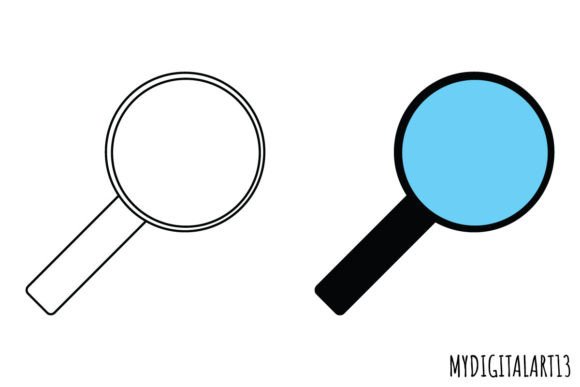
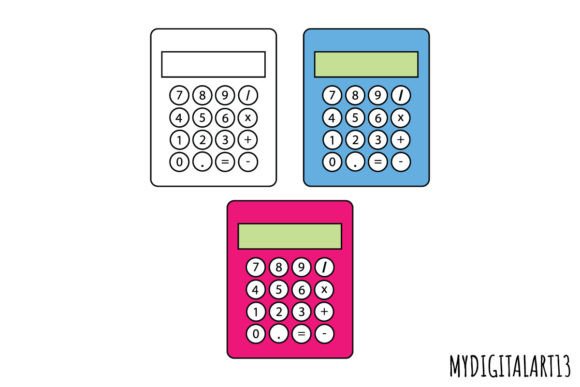
You’ll receive three high-resolution PNGs: two in full color and one in crisp black and white. All are rendered at 300 DPI, meaning they scale beautifully for both print and screen—whether you’re printing a batch of student reward stickers or embedding one into a responsive web banner. The transparency means you can layer them over photos, behind text, or alongside other icons without clipping masks or background cleanup.
Why Educators Reach for This Clipart First
For teachers building lesson plans, classroom posters, or digital quizzes, time is non-negotiable. Calculator clipart saves minutes—not just seconds—on design prep. A third-grade teacher might use the black-and-white version to create a printable “Math Detective” worksheet where students circle tools used in problem-solving. A high school algebra instructor could layer the color version over a gradient background for an engaging Google Slides header—no design degree required. What matters most here is clarity, consistency, and alignment with curriculum tone: friendly but focused, academic but approachable.
Crafters and Small Business Owners Value Flexibility
Hobbyists making custom planners or handmade notebooks often juggle limited software options and tight budgets. These calculator images work in free tools like Canva, Google Docs, and even basic photo editors—no vector expertise needed. One small business owner selling themed stationery kits uses the color versions on product labels and the black-and-white version as subtle watermark-style accents on printable budget trackers. For them, “flexibility” means not having to buy separate licenses for print vs. digital use—and knowing all three files will hold up whether printed on glossy sticker paper or displayed on an Instagram Story.
Designers and Marketers Prioritize Integration, Not Isolation
Professional designers don’t just drop clipart—they compose with it. The clean lines and balanced proportions of this calculator clipart make it easy to pair with sans-serif typefaces, coordinate with existing brand palettes, or adapt using simple hue adjustments in Photoshop or Figma. A freelance marketer developing a back-to-school email campaign for a tutoring service might use the color calculator as a focal icon beside a headline (“Crunch the Numbers on Better Grades”), then echo its shape in custom dividers or bullet points. Here, quality isn’t about realism—it’s about visual harmony and scalability across touchpoints.
Students, Parents, and DIY Learners Focus on Accessibility and Tone
A college student designing a study-group flyer wants visuals that feel supportive—not childish or overly technical. The friendly yet precise aesthetic of this clipart bridges that gap. Similarly, a parent assembling a summer learning packet for their middle-schooler might combine the black-and-white calculator with handwritten fonts and pastel accents to signal “engaging practice,” not “extra homework.” For these users, emotional resonance matters as much as file format: the image should invite curiosity, not intimidate.
Scrapbookers and Invitation Designers Rely on Layering Precision
Because every pixel sits cleanly against transparency, scrapbookers can stack this calculator over textured paper scans or watercolor backgrounds without ghosting or halos. Wedding invitation designers repurpose the black-and-white version for academic-themed bridal showers—think “Equation of Love” motifs layered onto vellum overlays. The consistent 300 DPI ensures sharp edges even when scaled down to 0.5 inches tall on a place card. No guessing, no blurring—just predictable results.
How Skill Level Shapes Use (Without Making Anyone Feel Left Behind)
Beginners appreciate how little setup these files require: download, drag, done. There’s no need to learn masking techniques or wrestle with raster-vs-vector confusion. More experienced users value the same files for different reasons—they know that starting from a strong, well-proportioned base speeds up iteration. A blogger testing multiple cover designs for a back-to-school resource roundup might swap between the color and monochrome versions to see which better supports readability over busy photo backgrounds. Both groups benefit—but from different angles.
When to Choose This Set Over Other Options
This calculator clipart shines when your priority is practical integration, not artistic experimentation. If you need something that works reliably across platforms, scales without fuss, and carries clear thematic weight—without demanding custom illustration time—it fits. It’s not meant to replace bespoke icon design for a major app launch. But for a teacher updating a classroom website, a crafter launching a seasonal Etsy collection, or a nonprofit creating accessible learning handouts? It removes friction so you can focus on message, audience, and impact.
Real Projects, Real Outcomes
- A homeschool parent used the black-and-white calculator to label sections of a printable “Summer Skills Tracker,” pairing it with checkmarks and star icons—all in one cohesive visual language.
- A university communications team embedded the color version into a series of social media cards promoting first-year STEM advising—keeping branding consistent while adding warmth.
- A stationery designer layered the calculator over scanned notebook paper textures to create a limited-run set of “Solve It” thank-you cards—printing flawlessly on matte cardstock.
None of these uses required advanced tools or hours of tweaking. Each started with a single drag-and-drop—because the file was built to serve the work, not complicate it.
Does This Match Your Next Project?
If you’re preparing materials where “back to school” signals structure, growth, or hands-on learning—and you value clean execution over decorative flair—this set is purpose-built for you. Whether you’re sketching ideas on paper or coding a landing page, the strength of these images lies in their quiet reliability: they communicate clearly, integrate easily, and stay useful long after the first bell rings.